
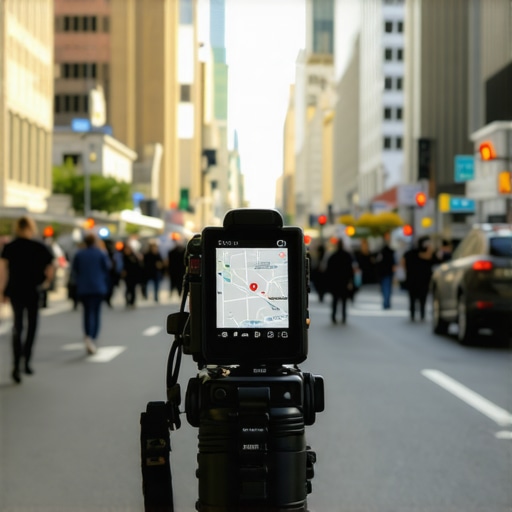
Why video proof fails for local map ranking strategies
I spent three months fighting a hard suspension for a plumbing client whose listing was nuked simply because they shared a suite number with a defunct law firm. Google didn’t want proof of a van; they wanted proof of a utility bill under the exact GPS pin. The air in that industrial park smelled like wet concrete and diesel exhaust while I stood there snapping photos of the brickwork to prove the office actually existed. The client thought a simple video walk-through would fix it. It did not. They recorded a five-minute video showing the trucks, the tools, and the desks, yet the suspension remained. This is the reality of the modern Map Pack ecosystem where the algorithm distrusts what it cannot mathematically verify through static metadata. Video files often strip the very EXIF data that the proximity engine needs to tether a business to a coordinate. When you rely on video proof alone, you are often sending a data-light file that fails to trigger the local justification signals required for reinstatement.
The reinstatement war and the video trap
Local SEO services to fix banned GMB listings rely on more than just visual evidence because Google Business Profile recovery requires static proof of permanent occupancy and high-resolution metadata. Video files are frequently compressed, removing the GPS coordinate salience needed to fix missing map pack rankings during a manual review. I have seen countless businesses fail because they ignored the forensic trace of a service area polygon. The algorithm looks for the glitch in the storefront data, and a shaky cell phone video looks exactly like the thousands of fake videos submitted by map-spam operations every day. If you want to actually move the needle, you need to understand why video proof fails your map ranking strategy before you submit your next appeal. The street level truth is that a single photo of a permanent monument sign carries more weight than a cinematic drone shot of a warehouse. Google wants to see the seams in the world. They want the raw, unedited proof that your business is a physical anchor in the community, not a digital ghost hiding behind a VPN.
“Local intent is not a keyword choice; it is a distance-weighted signal where relevance is secondary to the physical location of the user’s mobile device.” – Map Search Fundamental
Why your high definition video fails the trust test
Video verification fails because it lacks the fixed coordinate integrity that Google Maps ranking algorithms demand for proximity validation. While GMB ranking tools for agencies can track position, they cannot replace the physical footfall signals and permanent signage photos that fix a frozen map ranking. The math of a check-in signal is far more robust than a MP4 file. When a user records a video, the motion makes it difficult for automated systems to OCR the specific text on a utility bill or a business license. This leads to the dreaded loop where you provide evidence but the system remains skeptical. You might think your 4K footage is impressive, but to a bot, it is just a series of shifting pixels without a verifiable timestamp. Many owners find that the utility bill mistake keeps your listing permanently suspended even if the video shows the office lights are on. You have to provide the exact documents that a human agent can cross-reference with the Secretary of State records. A video cannot be easily indexed or audited in the same way a PDF of a lease agreement can. The logic of the system is built on static trust, not cinematic flair.
The physical proof checklist that forces a human review
Successful GMB verification requires five specific storefront photos showing permanent signage, street numbers, and interior office equipment to bypass the automated bot traps. Using 7 local proofs ensures that local SEO services can fix mismatched business address and phone number issues that tank map rankings. If you are stuck in a loop, you need to know the physical proof checklist that forces a human review immediately. This is not about being pretty; it is about being undeniable. I once watched a locksmith lose his entire livelihood because he used a magnet on his van instead of a permanent wrap. Google sees magnets as temporary, and temporary means spam. You need to show the permanent mounting of your sign. You need to show the mailbox with the suite number clearly visible. You need to show the tools of the trade sitting on a desk that clearly hasn’t moved in months. These are the markers of a real merchant. When you provide 5 storefront photos that actually prove your location, you are giving the agent the ammunition they need to overrule the bot. The bot is programmed to say no; the human is looking for a reason to say yes.
How to handle the video verification process without getting rejected
To pass video verification you must start the recording from the street level, showing nearby landmarks, then move to the permanent signage and interior operations without any camera cuts. This process proves physical location and business legitimacy to fix map pack loss while organic rankings stay stable. Many people make the mistake of starting the video inside the office. This is a fatal error. The AI needs to see the transition from the public space to the private space to verify the GPS pin. You must learn how to handle the video verification process without getting rejected by following a strict path of movement. Walk from the curb, show the street sign, show the building number, and then walk through the door. Do not stop the recording. Do not edit the file. If the file size is too large, the upload will fail and you will be stuck in a pending review state. This is where how to fix your listing when it gets stuck on pending review becomes a vital skill. You have to balance quality with file size while maintaining the integrity of the single-take shot. It is a technical hurdle that most small business owners are not prepared for, which is why so many listings remain in limbo for months.
Local Authority Reading List
- The interaction signals that matter more than keyword stuffing
- Why your competitor ranks higher with fewer reviews and no website
- 3 ways to prove your physical location to a skeptical agent
- How to fix the proximity filter that hides your business pin
- 3 documents that force a manual review of your suspended profile
The three mile radius that determines your revenue
Proximity is the primary ranking factor in the modern Map Pack, where the physical distance between the user’s mobile device and the business centroid outweighs traditional SEO signals. Understanding how to expand your Google Maps reach beyond the city center requires behavioral signals like driving direction requests and location-based check-ins. The three mile radius is not a suggestion; it is a mathematical boundary. If you are outside that circle, you do not exist to the user. This is why the truth about how proximity affects your local search reach is so painful for businesses in the suburbs. You can have the best website in the world, but if the user is in the downtown core and you are ten miles away, you are invisible. You have to fight for every inch of that radius. This involves generating why physical footfall is now a major ranking signal. When people actually drive to your location with their GPS on, Google records that as a vote of confidence. It is a real-world signal that beats any digital citation. The algorithm tracks the dwell time of those devices. If people stay for an hour, your business is deemed relevant. If they turn around and leave immediately, your trust score drops. It is a cold, calculated game of spatial logistics.
Why your business pin is filtered out of map packs
Map pin filtering occurs when multiple businesses in the same category operate from the same building or when a shared office address triggers Google’s anti-spam proximity filters. To fix the proximity filter, you must prove unique suite occupancy with permanent signage and distinct utility bills to restore your map visibility. If you are sharing a suite with another company, you are essentially invisible in the eyes of the centroid. This is why your business pin is filtered out of map packs so often. Google wants to provide variety. It does not want to show three plumbers in the same building. It will pick the one with the highest trust score and hide the others. To beat this, you need to know how to fix the proximity filter hiding your business pin by diversifying your signals. You cannot just rely on NAP consistency. You need brand velocity. You need people searching for your specific name, not just the service you provide. When the search volume for your brand increases, the filter begins to relax. It realizes that you are a destination, not just another listing. This is the difference between a business that survives and a business that thrives in a crowded market.
The specific photo angle that speeds up verification requests
The most effective photo angle for GMB verification is a wide-angle shot from the street that captures both the permanent storefront signage and the neighboring businesses in a single frame. This geospatial context allows Google’s AI to verify the address against Street View data and speed up manual review times. If you only take a close-up of your door, you provide no context. The bot cannot tell if that door is in New York or New Delhi. You must understand the specific photo angle that speeds up verification requests to get your listing live. I always tell my clients to stand across the street. Capture the power lines, the sidewalk, and the businesses next door. This is called triangulation. By showing your neighbors, you are proving your place in the physical world. You are making it impossible for the agent to claim your address is fake. Combine this with 5 storefront photo rules for a top map ranking and you will see your verification pass in hours instead of weeks. The goal is to remove all doubt. Every photo should answer a question before the agent even asks it. Is there a sign? Yes. Is it permanent? Yes. Is it at the right address? Look at the neighbors.
GMB ranking tools for agencies and small business owners
Professional GMB ranking tools provide geogrid tracking and competitor audit data but they cannot fix a suspended listing or bypass the need for physical proof. While a GMB ranking toolkit is essential for tracking, the actual ranking power comes from offline behavior signals and storefront signage accuracy. Agencies love to sell these tools as a magic bullet. They are not. They are just a thermometer. They tell you that you have a fever, but they don’t provide the medicine. If you want to know the truth about google maps seo tools and ranking data, you have to realize that the data is often 24 hours behind the reality of the street. A geogrid might show you are ranking well at 2 PM, but as soon as you change your hours or someone reports your listing, that data becomes useless. Small business owners should focus on how gmb ranking toolkits work for local seo to identify where their competitors are weak. Are they using a shared office? Report it. Do they have fake reviews? Audit them. The tools are for intelligence gathering, but the battle is won with physical evidence and local trust.
Local SEO services to fix banned GMB listings
Expert local SEO services focus on document preparation and manual escalation tactics to recover banned GMB listings after fake address suspensions or competitor spam attacks. These services force a human review by providing Secretary of State filings and lease agreements that prove the business is legitimate. When your listing is banned, the clock is ticking. Every day you are off the map is a day your competitors are stealing your leads. You need google business profile recovery service after fake address suspension immediately if you want to save your reputation. The process is not about filling out a form and waiting. It is about 3 steps to escalate a gmb support ticket to a senior agent who has the authority to overturn the bot. You have to be persistent. You have to be precise. You have to speak the language of the guidelines. If you use the wrong phrasing, your appeal will be rejected in seconds. It is a forensic process that requires a deep understanding of the internal logic of Google’s support team. They are overworked and looking for any reason to close your ticket. Don’t give them one.
Why your map ranking stalls even with high review counts
A stall in map rankings despite high review counts is usually caused by low interaction velocity or poor mobile-to-desktop ranking parity due to proximity filters. To fix a frozen map ranking, you must increase local interaction signals like native photo uploads and driving direction requests from unique local IP addresses. Reviews are a trailing indicator. They tell Google that people liked you in the past. But Google wants to know if people like you right now. This is why your map ranking stalls even with high review counts. If no one has called you through the app in three days, your ranking will drop. If no one has asked for directions, you are seen as less relevant. You need 5 interaction velocity fixes for a map ranking boost to get things moving again. Encourage your customers to upload their own photos. Ask them to check in. These are the