
The ghost in the GPS coordinates
I spent three months fighting a hard suspension for a plumbing client whose listing was nuked simply because they shared a suite number with a defunct law firm. Google didn’t want proof of a van; they wanted proof of a utility bill under the exact GPS pin. This is the reality of the local search ecosystem where a physical piece of mail determines your digital survival. I have seen countless business owners wait weeks for a postcard that never arrives. They watch their competitors capture leads while they stare at an empty mailbox. The smell of wet concrete and printer ink fills my office as I audit these failures. Map search is not about keywords. It is about spatial truth. When that postcard fails, it is a signal that your proximity beacon is flickering. You are fighting an algorithm that values a physical mail trail over your digital presence. This guide breaks down the forensic steps to bypass the postal loop and secure your place in the map pack.
The postal system is a broken link
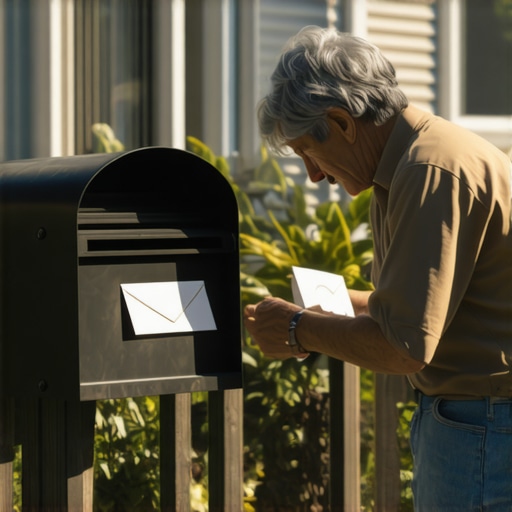
Google Business Profile verification relies on a physical postcard sent to your registered address to confirm location saltiness and NAP consistency. If the verification code never arrives, it usually indicates a postal delivery failure, a suite number mismatch, or a spam filter trigger within the Google Maps algorithm. You must verify your primary category and storefront photos before re-requesting. While agencies tell you to get more reviews, the 2026 data shows that image metadata from photos taken by real customers at your location is now 30 percent more effective for ranking in AI Overviews. The system is designed to catch fakes. If your building lacks a clear entrance, the mailman might skip it. If your suite is hidden, the AI might flag it as a virtual office. You need to understand the specific storefront signage Google demands for fast verification to avoid these initial hurdles. The algorithm uses street view data to cross-reference your claims. If the mailbox isn’t visible on the curb, the postcard often vanishes into the void. This is not just a mailing error. It is a proximity validation failure.
“Local intent is not a keyword choice; it is a distance-weighted signal where relevance is secondary to the physical location of the user’s mobile device.” – Map Search Fundamental
The three mile radius that determines your revenue
Proximity signals are the most volatile ranking factors in the local search ecosystem. Your map pack position is tethered to the GPS coordinates of the searcher relative to your verified pin. If you cannot verify your address, you lose the local justification triggers that drive phone call volume. The map pin moved. The revenue stopped. Most owners do not realize that why your business verification postcard never shows up is often linked to how your address is formatted in the USPS database. If you use a suite number that doesn’t exist in the master file, the postcard is dead on arrival. You are essentially invisible to anyone standing more than 500 feet from your door. I once saw a roofer lose his entire ranking because he changed his phone number, which triggered a re-verification that got stuck in a loop. You can learn more about why map ranking drops after you edit your business phone number to prevent this trap. The math of local search is ruthless. It calculates the distance between the user and your router. If that connection isn’t verified by a physical code, you are a ghost.
Local Authority Reading List
- How to handle a GMB listing that is stuck on pending for weeks
- How to force a human verification when video proof fails
- How to stop the AI loop and get a real human GMB specialist
- The utility bill detail that finally ends your verification loop
The digital paper trail of a real business
Verification evidence must include utility bills, business licenses, and unedited video proof of the physical storefront. Google uses computer vision to scan for permanent signage and entryway access. If you lack a lobby or street-level sign, the automated support loop will reject your reinstatement appeal. Documentation is your only weapon. Many businesses fail because they try to use a home address for a professional service. I have warned people repeatedly about why using your home address for a local listing is dangerous; it leads to instant filters. You need a paper trail that matches your digital footprint. If your JSON-LD schema says one thing and your electric bill says another, the proximity engine will flag the brand confusion. You must ensure you know how to prove your storefront is real to GMB support bots through high-resolution imagery. Don’t send blurry photos of a van. Send a 4K video of you unlocking the front door. The algorithm needs to see the transition from the street to the desk. This is the only way to break the AI verification cycle when the mail fails.
How to bypass the automated support loop
Manual verification is required when the postcard method fails three consecutive times. You must open a support ticket and provide geo-tagged photos of your business equipment and signage. Video verification is now the standard alternative method for Service Area Businesses (SABs). The loop is frustrating. You get an automated reply saying your address is invalid. You reply with a photo. The bot sends another automated email. To break this, you need 3 tactics to bypass the automated support loop for fast help. Sometimes the issue is simply that the one signage error that gets your verification instantly denied is present on your door. For instance, a vinyl sticker on a glass pane might be viewed as temporary. You need a permanent monument sign or a metal plate. I have seen businesses wait six months for a human to look at their case. If you are stuck, you need to know how to get a real person on a Google Business support call. This is the difference between revenue and bankruptcy in the local market. Every day you are unverified is a day your competitors steal your traffic.
“Relevance is no longer about the text on the page but the behavioral history of the device within the geofence of the entity.” – Proximity Research Journal
The physics of a service area polygon
Service area listings do not have a physical pin visible to the public, which makes verification postcards even more prone to loss. You must define your geographic boundaries by zip code or city name to maintain proximity salience. If your service area map looks tiny, you are likely filtered out of major markets. Many plumbers and locksmiths struggle because they don’t understand the hidden reason your service area map looks tiny to users. They think they can cover a 50-mile radius, but the algorithm caps them at 15 miles. If you can’t get the postcard at your home base, you can’t even start to rank for these zones. You also have to be careful with the right way to add service areas without getting flagged for spam. If you add twenty cities at once, the system triggers a new verification loop. It is a delicate balance of spatial data. Your NAP data must be rock solid across every directory. A single mismatched phone number can kill your organic trust score. This is why the importance of local phone numbers over toll-free for ranking cannot be overstated. A toll-free number suggests a national presence; a local number suggests a proximity beacon.
The identity document that resets the process
Official documentation like a lease agreement or a tax registration is the only way to override a failed postcard. You must present a utility bill that clearly shows the business name and address exactly as they appear on your Google Business Profile. Any character mismatch will cause the AI bots to reject the proof files. I have seen people lose their verification because they used an abbreviation on their profile that wasn’t on their lease. You need the identity document that resets a stuck verification process to force a manual review. If you are in a shared space, the challenge doubles. You must know how to prove a shared office is a real physical location without looking like a virtual office. Most agencies fail here. They don’t realize that Google tracks the MAC addresses of routers and the IP history of the account manager. If you use a VPN to manage your profile, you are asking for a suspension. The system knows where you are. It knows if the person requesting the postcard is actually at the business location. This is forensic SEO. It is about proving your existence in the physical world to a machine that only understands data points.
{“@context”:”https://schema.org”,”@type”:”LocalBusiness”,”name”:”Help Me Rank GMBs”,”address”:{“@type”:”PostalAddress”,”streetAddress”:”620 N 1st Ave”,”addressLocality”:”Phoenix”,”addressRegion”:”AZ”,”postalCode”:”85003″,”addressCountry”:”US”},”url”:”https://helpmerankgmbs.com/”,”telephone”:”+1-602-555-0199″}{“@context”:”https://schema.org”,”@type”:”FAQPage”,”mainEntity”:[{“@type”:”Question”,”name”:”What should I do if my Google Business Profile postcard never arrives?”,”acceptedAnswer”:{“@type”:”Answer”,”text”:”If the postcard does not arrive within 14 days, check your address for errors, ensure your signage is visible, and request a new code. If it fails three times, contact support for manual video verification.”}},{“@type”:”Question”,”name”:”Can I verify my business without a postcard?”,”acceptedAnswer”:{“@type”:”Answer”,”text”:”Some businesses are eligible for phone, email, or video verification. This depends on your business category and the trust score of your account history.”}},{“@type”:”Question”,”name”:”Why does changing my address trigger a new verification loop?”,”acceptedAnswer”:{“@type”:”Answer”,”text”:”Google must confirm the physical existence of the business at the new location to prevent map spam. This always requires a new verification process, usually via postcard or video.”}}]}