
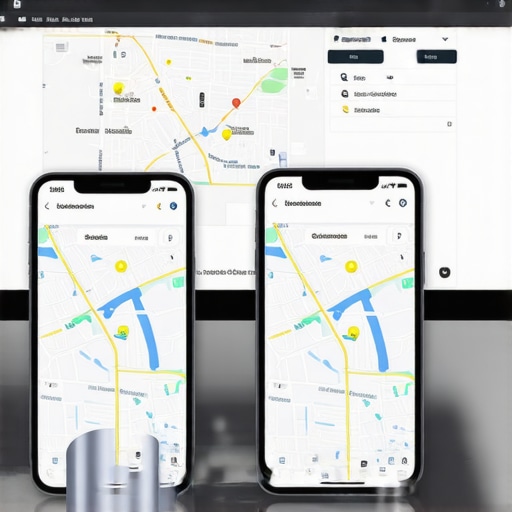
The pixelated deception of desktop ranking
Mobile search results differ from desktop rankings because Google uses precise GPS coordinates for smartphones while relying on broader IP address data for computers. This discrepancy means your business might appear in the top three for someone sitting at a desk five miles away but vanish for a person standing on the next street over with an iPhone.
I look at a map and see the cracks in the pavement. Most people see a blue dot; I see a data packet struggling to prove its existence to a server in Mountain View. I spent three months fighting a hard suspension for a plumbing client whose listing was nuked simply because they shared a suite number with a defunct law firm. Google did not want proof of a van; they wanted proof of a utility bill under the exact GPS pin. I walked that street. I smelled the wet concrete after a summer rain and photographed the storefront sign that the automated bots refused to see. That experience taught me that the local algorithm is not a single entity. It is a bifurcated system that treats a stationary monitor and a moving hand differently. If you are wondering why your maps profile looks different in search than in the management app, you are witnessing the gap between data entry and real world signal processing. The desktop view is often a legacy ghost. It shows you a cached version of authority that does not exist in the hyper-competitive mobile ecosystem where proximity is king.
The hidden proximity filter that makes your business invisible to mobile users
The local proximity filter is a distance-weighted algorithm that hides business listings from mobile users who are outside a specific, mathematically determined radius. This radius fluctuates based on competitor density and the user’s real-time movement. On mobile devices, this filter is significantly more aggressive than on desktop searches.
The pin moved. In the world of local SEO, that is a death sentence. When a user searches for a service on a mobile device, Google triggers a proximity check that is far tighter than a desktop query. A desktop computer uses an Internet Service Provider (ISP) hub location, which can be miles from the actual house. A mobile phone uses A-GPS, WiFi triangulation, and cellular tower trilateration. This precision allows Google to apply the hidden proximity filter that is making your business invisible to locals who are just slightly outside your immediate zone. You might see yourself at rank one when you check from your office chair. That is because you are sitting on the centroid. Drive three blocks away, pull out your phone, and you might not even be in the top twenty. This is the reality of the Vicinity update. It punished businesses that used to rank across entire cities by favoring the shop that is physically closest to the person holding the phone. It is a game of inches. If you are struggling with this, you might need to understand why your service area is being ignored by the local proximity filter despite your high review count.
“Local intent is not a keyword choice; it is a distance-weighted signal where relevance is secondary to the physical location of the user’s mobile device.” – Map Search Fundamental
Local Authority Reading List
- Unlocking Google Maps Success
- Advanced GMB Support Tactics
- Why rankings vary between iPhone and Android
- The Blueprint for GMB Optimization
The ghost in the GPS coordinates
GPS coordinate salience is the mathematical weight Google assigns to the physical location data embedded in user interactions and business assets. On mobile, this data is extracted from customer photos and check-ins to verify your actual presence. If your mobile ranking fails, it usually indicates a lack of real-world behavioral signals from that specific location.
When a customer stands in your lobby and takes a photo, that image contains EXIF data. This metadata tells Google exactly where that photo was taken. If all your photos are stock images or shots from your home office, the algorithm begins to doubt your physical storefront exists. This is why how to use real customer photos to boost your local visibility is more than just a marketing tip; it is a technical requirement for mobile ranking. Mobile users are looking for immediate solutions. Google knows this. It prioritizes businesses that have a high density of mobile-based signals. If your ranking vanishes on mobile, you should look at your why your map interactions do not lead to real phone calls to see if you are actually attracting local traffic or just bots. Every time a user clicks for directions on a mobile phone, it is a massive trust signal. Desktop clicks are weaker because they rarely lead to a physical visit. To fix a mobile drop, you must audit your technical foundation using an seo audit and penalty recovery services specialist who understands these microscopic signal shifts. The algorithm sees the glitch in your storefront data before you do.
Why your physical address is a liability
Your physical address becomes a ranking liability when it is shared with other businesses or located in a high-competition cluster that triggers Google’s deduplication filter. Mobile search is particularly sensitive to this, often hiding secondary businesses at the same address to provide a cleaner user experience.
I have seen businesses disappear because they were in a building with too many similar categories. Google does not want to show three locksmiths at the same street number in a mobile pack. It will pick the one with the strongest proximity and behavioral signals and hide the others. This is often why your google maps ranking fails when using a shared workspace or a virtual office. Mobile users need a physical destination. If Google thinks you are just a desk in a suite, you are out. This is also a major factor in why using your home address for a local listing is dangerous for your long-term visibility. You are fighting against businesses with dedicated storefront signage. If your mobile rank is failing, check if a competitor has marked you as a duplicate. You may need seo services to restore map pack visibility after listing ownership change if your data has been corrupted by a previous agency or competitor edits. The mobile ecosystem is ruthless about address purity. One small error in your suite number can cause a total blackout on mobile screens.
“Proximity is the most significant ranking factor for the local pack, specifically on mobile devices where the user’s location is known with high precision.” – Vicinity Algorithm Research
The three mile radius that determines your revenue
The three mile radius is the standard visibility zone for most service based businesses on mobile devices. Beyond this point, the algorithm heavily favors businesses that are physically closer to the user to reduce perceived travel time and friction. Desktop results often extend this radius to ten miles or more, creating a false sense of security for business owners.
Revenue lives in the micro-radius. If you are a plumber and you are not ranking for people within three miles of your shop on their phones, your business is effectively invisible. You might still get desktop leads from people researching at night, but you are losing the emergency calls. This is why local plumbers lose the near me ranking to out-of-town competitors who have better mobile signals. You need a gmb ranking toolkit for small business owners that specifically targets mobile visibility. This includes optimizing for voice search and ensuring your website speed is perfect. If your site is slow, your map pin will drop on mobile searches because Google does not want to send a mobile user to a page that will not load on 5G. This is one of those seo services to fix slow website and technical issues that directly impacts your map position. You must also consider your category choices. If you changed them recently, look into seo services to recover gmb visibility after category change. A wrong category can push you out of the mobile pack for your primary service because the local justification triggers are not firing. Mobile users do not scroll. They take the top three or they move on.
The forensic trace of a service area polygon
A service area polygon is the digital boundary you define in your Google Business Profile to tell the algorithm where you operate. If these boundaries are too wide or overlap with too many high-authority competitors, Google will shrink your mobile visibility to protect the relevance of the map results.
You cannot just claim an entire state and expect to rank on a phone in every city. It does not work that way. Google looks for local proof. If you are a service area business, you need to understand why your service area business keeps getting hidden by local competitors who have a physical office in the target zone. Mobile ranking is biased toward the physical. To overcome this, you need to show geographic relevance through your website content and local links. If you are experiencing an emergency seo services for sudden ranking drop on mobile, check your service area settings first. Sometimes, less is more. Narrowing your service area to your actual core zones can actually increase your mobile visibility by increasing your local relevance score. You also need to clean up any old, spammy tactics. Use seo services to clean legacy black hat local seo footprints to ensure your profile is viewed as high-trust by the mobile algorithm. The bots are looking for a reason to filter you out. Do not give them one by having a messy, over-extended service area. Focus on the neighborhoods where you actually have customers. That is where the mobile leads are hiding. This is the difference between a what is a gmb ranking toolkit and a generic SEO strategy. One is built for the street; the other is built for the office. Choose the one that drives calls.