
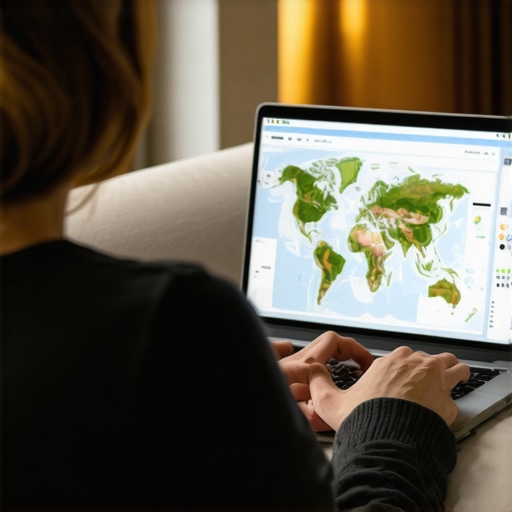
Why Online Landscape Design Companies Lose Map Visibility When Customers Search From Home
Imagine this scenario: You have built a premier online landscape design company. Your portfolio is breathtaking, your 3D renderings are industry-leading, and your client satisfaction is through the roof. Yet, when a homeowner sitting on their couch just three blocks away from your home office searches for a designer to transform their backyard, your business is nowhere to be found. Instead, the “Local 3-Pack” is dominated by traditional “mow-and-blow” crews or large construction firms that might not even offer the specialized design expertise you provide.
This is the frustrating reality for many digital-first professionals. Despite the fact that 46% of all Google searches have a local intent – translating to roughly 97 billion local searches per month – online-centric brands often find themselves filtered out of the map results. The stakes are incredibly high. Securing a spot in the Local 3-Pack can lead to a 126% increase in traffic compared to businesses sitting just outside that coveted box. Furthermore, data shows that 76% of people who search for something “near me” on their smartphone visit a related business within 24 hours. If you aren’t visible, you aren’t just losing clicks; you are losing immediate revenue.
In this deep dive, we will explore why the online landscape design industry struggles with map visibility and how the “proximity filter” works against businesses that operate without a traditional storefront.
Section 1: The Eligibility Gap – Why “Online-Only” Struggles
Google’s primary goal with Google Business Profile (GBP) is to connect users with businesses they can visit or that will come to them. This creates a significant “Eligibility Gap” for the modern online landscape architecture firm. According to Google’s strict guidelines, a business must have physical, face-to-face contact with customers to qualify for a listing. If your business model is 100% digital – meaning you never meet a client on-site or at an office – you technically fall outside Google’s core eligibility criteria.
Many design-led brands operate from home offices to keep overhead low. However, how to verify your business when you work from a home office is one of the most common hurdles designers face. Google is increasingly aggressive about suspending profiles that cannot prove a physical presence or a legitimate service area. Currently, approximately 36% of Google Business Profiles remain unverified or are improperly set up, leading to total invisibility in local search results.
For an online landscape architecture firm, the challenge is proving that while the “product” (the design) is digital, the “service” is local. Without a verified profile, you are essentially ghosted by the algorithm, regardless of how many 5-star reviews you have on other platforms. SEO leads are vital because they close at a rate of 14.6%, which is 8.6x higher than the 1.7% close rate for outbound leads. Closing that eligibility gap is the first step toward capturing those high-intent customers.
Section 2: The Proximity Paradox – Searching from Home vs. The Office
One of the most misunderstood aspects of local SEO is the “Proximity Paradox.” Google’s algorithm uses precise GPS and IP data to determine what is “near” a user. This means that a homeowner searching for backyard deck construction from their living room will see a completely different set of results than if they performed that same search from their office in a downtown high-rise.
When a user is at home, Google narrows the search radius significantly. The algorithm assumes that for residential services, the user wants someone in their immediate neighborhood. This is where the hidden proximity filter that is making your business invisible to locals kicks in. If your business is registered in a different zip code – or if you are competing in a saturated market – Google may “filter” you out in favor of a competitor who is physically closer to the user’s couch, even if that competitor has a lower-quality website or fewer reviews.
For companies providing backyard deck construction, this paradox is particularly painful. You might be the best designer in the city, but if Google perceives a “closer” option, you lose the lead. The proximity filter is designed to provide convenience, but for specialized design-led brands, it often prioritizes geography over quality.
Section 3: Service Area Business (SAB) Pitfalls
To protect their privacy, many online landscape design professionals set themselves up as a Service Area Business (SAB) in Google Business Profile. This allows you to hide your home address while still appearing in searches for specific regions. However, there is a distinct disadvantage to this approach.
There is a significant difference between service areas and physical address ranking. A business with a “pinned” physical address typically enjoys a larger visibility radius than an SAB. When you hide your address, Google loses a specific “anchor point” for your business. As a result, your visibility often behaves like a “fuzzy” cloud rather than a sharp, targeted strike.
If you are trying to rank for ranch landscape design across a wide rural area, being an SAB can be particularly tricky. Because your “center point” is hidden, Google may struggle to determine exactly which “near me” searches you should trigger. Competitors with a physical showroom or a pinned office in a small town will often outrank a more talented designer who is operating as a hidden SAB from a nearby city.
Section 4: The Role of 3D and Digital Assets in Local SEO
While proximity is a massive factor, it isn’t the only one. Google’s algorithm also looks for “prominence” and “relevance.” This is where an online landscape design company can actually gain an advantage. By leveraging digital landscape design assets, you can signal to Google that you are a highly relevant authority in your niche.
Google’s AI-driven Vision API can “read” the photos you upload to your GBP. When you upload high-quality 3D landscape design services images, Google recognizes the elements within those images – decks, plants, patios, and pergolas. This creates a secondary layer of relevance that can help you bypass some proximity restrictions. If a user searches for a specific style, and your profile is the only one with high-quality digital landscape design mockups of that style, Google may pull you into the 3-Pack from further away.
An online deck designer should focus heavily on visual proof. You should also learn how to use real customer photos to boost your local visibility. When customers upload their own photos of your finished designs, it provides a powerful geo-signal to Google that your work exists in the physical world, bridging the gap between your digital process and the local community.
Section 5: Commercial vs. Residential Visibility
The proximity filter behaves differently depending on the search intent. For residential searches, the radius is tight. However, for commercial intent – such as a business owner looking for restaurant patio design – Google often expands the search radius. This is because there are fewer specialized commercial designers than there are residential landscapers.
If your firm specializes in drought tolerant landscape design, you may find it easier to rank across a whole county than if you were a generalist. Niche specialization signals high relevance. When someone searches for restaurant patio design, Google is more likely to ignore the immediate proximity of a general gardener and show a specialist who is 15 miles away.
This is why it is crucial to optimize your GBP categories and services specifically for the types of projects you want. If you are chasing drought tolerant landscape design projects, ensure that keyword is prominent in your service descriptions and backed up by “Visual Proof” in your photo gallery.
Conclusion & Action Plan
The deck is often stacked against the online landscape design company in the world of local search. Between the strict eligibility requirements for Google Business Profiles and the relentless “Hidden Proximity Filter,” staying visible to local homeowners is a constant battle. However, by understanding how Google’s algorithm weighs physical location versus digital relevance, you can start to tilt the scales back in your favor.
To stop losing map visibility, you must:
- Ensure your GBP is correctly verified, even if you work from a home office.
- Understand the trade-offs of being a Service Area Business versus having a pinned address.
- Aggressively upload 3D mockups and digital assets to signal relevance to Google’s Vision AI.
- Focus on niche services like commercial patio design or drought-tolerant landscapes to expand your ranking radius.
Don’t let your business remain invisible to the neighbors who need your expertise most. It’s time to audit your local SEO strategy and claim your spot in the Local 3-Pack. If you’re ready to level up your digital presence and master the proximity game, contact Rachael Johnson today for a tailored strategy session that puts your design-led brand on the map.